



Feature
Feature
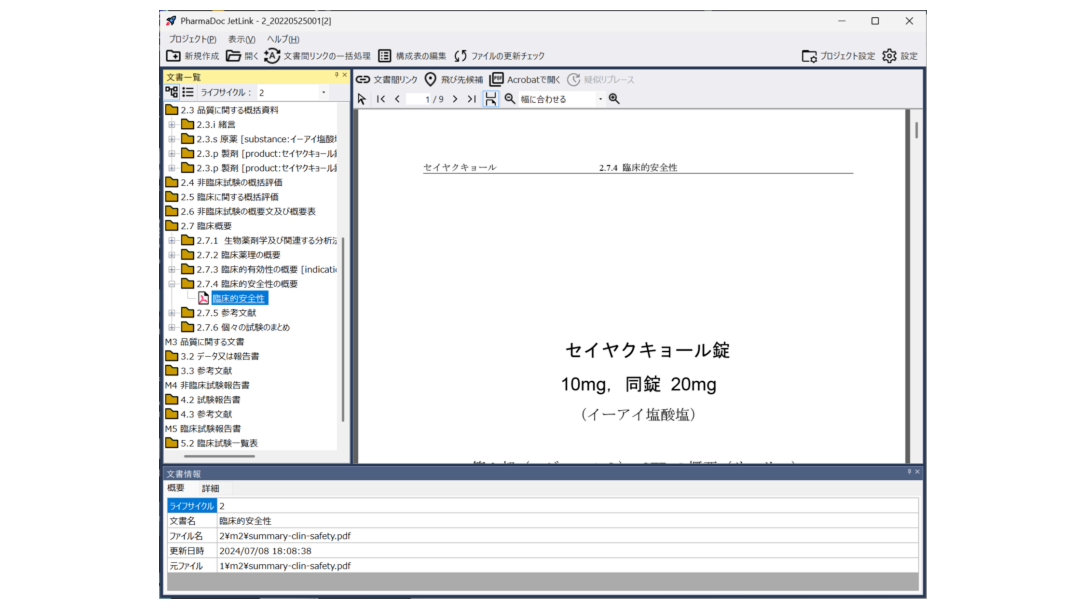
UI that can also be used as an eCTD viewer
PharmaDoc JetLink features a user interface compatible with both eCTD v3.2 and v4.0.
It can also be used as a simple eCTD viewer during SR conversion tasks.
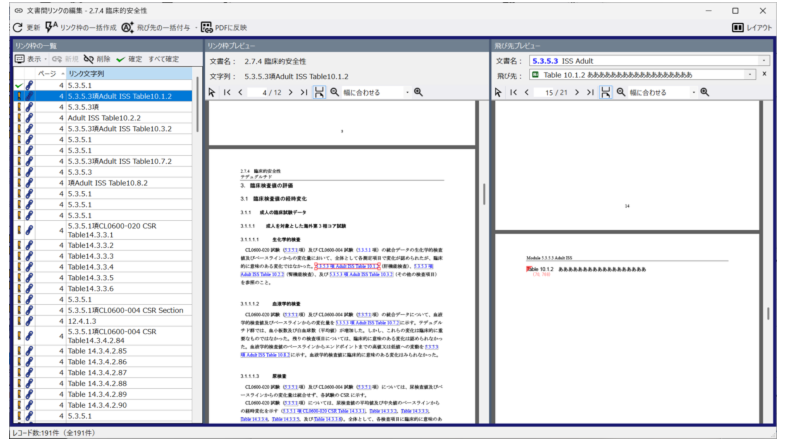
Intuitive and Efficient Editing of Cross-Document Links
The document link editing screen in PharmaDoc JetLink is designed to be user-friendly and efficient.
Links within documents are always displayed in a list, allowing you to create, edit, and delete link frames, as well as assign destinations to them, all within the same screen simultaneously.
Edit Link Frame
Editing link frames can be done intuitively in the preview.
Assigning a destination to the link frame
You can set the destination for a link frame simply by selecting the document name and destination candidate from the dropdown menu
(Of course, you can also set the destination coordinates directly in the preview).
Jump destinations are named coordinate information extracted from headings, bookmarks, or links within a PDF document.Jump destinations are centrally managed and designed to update to the latest destination with minimal effort even when referenced documents are updated.
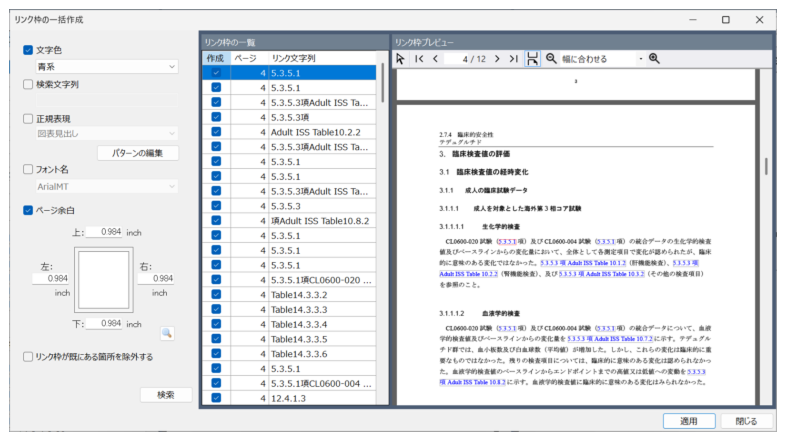
Batch Creation of Link Frames
PharmaDoc JetLink features a function to search for and batch-create link frame candidates.
Medical writers can search for sections where specific text colors or symbols ([ ]) are specified for creating document-to-document links, then convert them collectively into link frames.
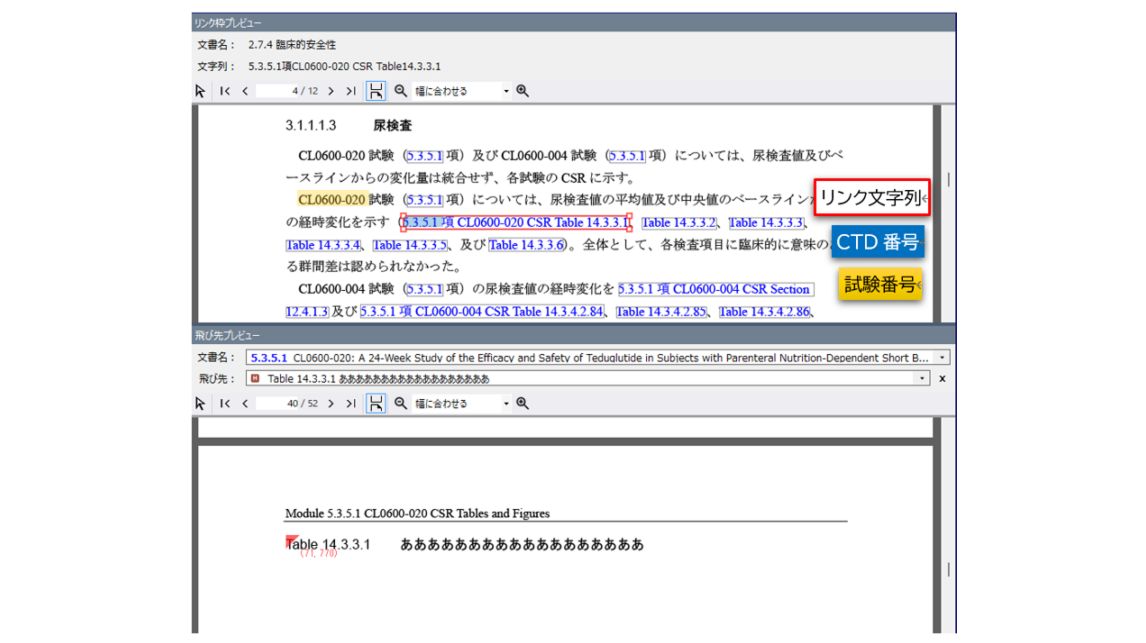
Automatic assignment of destination
PharmaDoc JetLink features an automatic destination search and assignment function.
It identifies specific expressions such as CTD numbers, study numbers, and document types from the text surrounding the link field, thereby determining the target document and potential destination candidates.
Batch processing of multiple files
PharmaDoc JetLink features the ability to perform the following operations in bulk for multiple PDF leaf files:
1) Bulk search for link frames
2) Bulk assignment of destination links
3) Writing links to PDF files
After batch execution, users can achieve inter-document linking with minimal effort by correcting the few links that failed to find their destinations.
Pseudo-Replacement Function
PharmaDoc JetLink incorporates pseudo-replacement functionality within the application itself.
Even when lifecycle revisions necessitate relinking old files, you can continue working without wasting previous efforts and while maintaining consistency.
Improvements
We have incorporated a feature to resolve inconsistencies arising between configuration tables edited on other eCTD compilation systems during lifecycle revisions and configuration tables from the previous lifecycle that underwent pseudo-replacement in PharmaDoc JetLink.
Contact us for product introduction and consultation!
Please feel free to contact us.